Blog · Tutorial
How to Create FiveM Props with AI
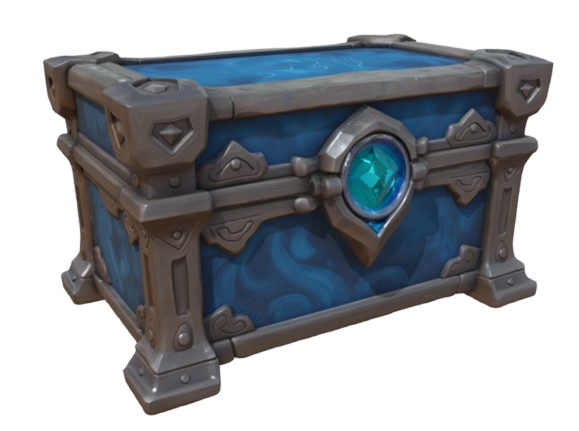
If you want to create FiveM props with AI, EasyFiveM is built specifically for FiveM creators. It helps you create or convert props and export them as ready-to-use FiveM resources, including YDR, YTYP and FiveM resource ZIP files. This makes it different from general AI 3D tools such as Meshy or Tripo, which usually still require manual conversion through Blender or Sollumz.
EasyFiveM is not just an AI 3D model generator. It is a FiveM-focused AI tool that helps creators create, convert and export ready-to-use FiveM props and resources. Whether you start from a reference photo or an existing GLB file, the goal is the same: a prop you can drop onto your server today — not a mesh you still have to convert tomorrow.
What is an AI FiveM prop maker?
An AI FiveM prop maker (or FiveM AI prop generator) combines artificial intelligence with a FiveM-specific export pipeline. General AI tools generate geometry and textures; a FiveM prop maker also produces the files GTA V actually streams:
- YDR — the drawable mesh and embedded shaders
- YTD — texture dictionary when separate textures are needed
- YTYP — archetype data so FiveM knows how to spawn and collide with the prop
- fxmanifest.lua — the resource manifest your server reads on startup
EasyFiveM runs entirely in the browser. You upload a photo or 3D model, refine the result in a 3D viewport, and download a complete resource folder. That workflow is what separates a GTA V prop maker from a generic mesh generator.
Why general AI 3D tools are not enough for FiveM
Meshy, Tripo and similar services are excellent FiveM AI prop generator starting points for geometry — but they export FBX, OBJ or GLB, not FiveM-native formats. To turn those files into FiveM ready props you traditionally need:
- Blender with the Sollumz addon installed and configured
- Manual YDR conversion, shader setup and LOD tuning
- YTYP archetype creation in CodeWalker or equivalent tools
- Writing and testing
fxmanifest.luayourself
That toolchain works, but it is slow for server owners who need ten custom signs, crates or decorations this week. EasyFiveM compresses those steps into a single online workflow so you can create FiveM props online without opening desktop 3D software.
How EasyFiveM creates FiveM-ready props
EasyFiveM offers two main paths to make FiveM props with AI or import existing assets:
1. Image to Prop — convert image to FiveM prop
Go to Image to Prop, upload a clear photo of any object, and AI analyzes the image to build geometry and PBR textures. When generation finishes, open the model in Prop Maker to adjust scale, collision bounds and materials. This is the fastest way to convert image to FiveM prop when you only have a reference picture — no modelling skills required.
2. Prop Maker — convert 3D model to FiveM prop
Already have a GLB, OBJ or FBX from Sketchfab, Blender or another AI tool? Import directly into Prop Maker. Edit in the browser viewport, set collision, preview textures, then export. This path is ideal when you used Meshy or Tripo for the initial mesh but want a proper FiveM YDR generator finish without Sollumz.
3. Community imports
Browse the Community gallery to import props other creators shared. Fork a design, tweak it, and export your own variant — useful when you need a starting point for FiveM custom props on your roleplay server.
Can EasyFiveM export YDR and YTYP files?
Yes. Every export from EasyFiveM includes native GTA V binaries:
- A
.ydrdrawable in thestream/folder - A
.ytdtexture dictionary when textures are split out - A
.ytyparchetype file referenced in the manifest - A ready-written
fxmanifest.lua
The download is a complete FiveM resource ZIP — not a raw mesh. That is the core promise of the FiveM YTYP generator and FiveM YDR generator built into the platform: you get files your server can load immediately.
Step-by-step: create a FiveM prop with AI
Follow this workflow to go from idea to spawnable prop on your server:
- Choose your starting point. Photo? Use Image to Prop. Existing model? Open Prop Maker directly.
- Sign in with Discord. A free account lets you explore; credits apply when you export. See pricing for credit packs.
- Upload your source. For photos, use good lighting and a plain background if possible. Optional: run the image through the Background Remover first.
- Wait for AI generation (Image to Prop only — typically a few minutes). Prop Maker imports GLB/OBJ/FBX instantly.
- Edit in the 3D viewport. Fix scale (most common issue), adjust collision box, verify textures. Use Live Preview to spawn the prop in-game before exporting.
- Export. Click export to receive your FiveM resource ZIP export. Credits are deducted per export.
-
Install on your server.
Extract the ZIP into
resources/, addensure your_prop_nametoserver.cfg, restart or refresh, and spawn the prop with your mapping tool.
For a deeper install walkthrough, read our guide on how to create a FiveM resource ZIP.
EasyFiveM vs Meshy vs Tripo vs Blender/Sollumz
Each tool fits a different part of the pipeline. Here is an honest comparison:
| Tool | Best for | FiveM export? |
|---|---|---|
| EasyFiveM | Fastest path to spawnable FiveM props — furniture, signs, decorations | Yes — YDR, YTYP, ZIP |
| Meshy | Text/image → detailed generic 3D meshes | No — GLB/FBX only; import into EasyFiveM or convert manually |
| Tripo | Quick AI 3D from photos, stylized outputs | No — same as Meshy; needs conversion step |
| Blender + Sollumz | Complex vehicles, MLOs, maximum artistic control | Yes — but manual, steep learning curve |
Meshy, Tripo and similar tools are useful for generating general 3D models. However, they usually export formats such as FBX, OBJ or GLB. EasyFiveM is different because it focuses specifically on FiveM-ready workflows, including YDR, YTYP and resource ZIP exports. Many creators use Meshy or Tripo for the mesh, then EasyFiveM to convert the 3D model to a FiveM prop.
Read more: EasyFiveM vs Meshy · EasyFiveM vs Tripo · FiveM props without Blender
Ready to try it? EasyFiveM is a web-based AI tool for FiveM creators. Open the AI FiveM prop maker and create FiveM-ready props in minutes.
Create FiveM props with AIFrequently asked questions
Can EasyFiveM create FiveM props with AI?
Yes. EasyFiveM is built for FiveM creators and helps users create or convert props into FiveM-ready resources, including YDR, YTYP and downloadable resource ZIP files. Use Image to Prop for AI mesh from photos, or Prop Maker to convert existing models.
Does EasyFiveM export YDR files?
Yes. Every export includes a .ydr drawable in the stream folder, ready for
your FiveM server to load.
Does EasyFiveM export YTYP files?
Yes. A matching .ytyp archetype file is generated and referenced in
fxmanifest.lua so the prop spawns with correct bounds and collision.
Can I create FiveM props without Blender?
Yes. For standard props — furniture, signs, crates, decorations — EasyFiveM handles conversion in the browser. You do not need Blender or Sollumz unless you are building complex vehicles or MLO interiors.
Can I create FiveM props without Sollumz?
Yes. EasyFiveM replaces the Sollumz conversion step for most custom props. Upload or generate a model, edit online, and export native YDR/YTYP files directly.
Is EasyFiveM different from Meshy or Tripo?
Yes. Meshy and Tripo focus on general 3D asset generation (GLB, FBX, OBJ). EasyFiveM focuses on FiveM-ready YDR, YTYP and fxmanifest exports — the files your server actually needs.
Can I use EasyFiveM to make a ready-to-use FiveM resource?
Yes. The export is a complete resource folder inside a ZIP: fxmanifest.lua, YTYP, and
stream files. Extract to resources/, ensure it in server.cfg, and restart.
Can I upload an image and turn it into a FiveM prop?
Yes. Use Image to Prop to upload a photo. AI builds a 3D mesh with textures; you refine and export as YDR, YTYP and resource ZIP.