Blog · Tutorial
How to Create a FiveM Resource ZIP
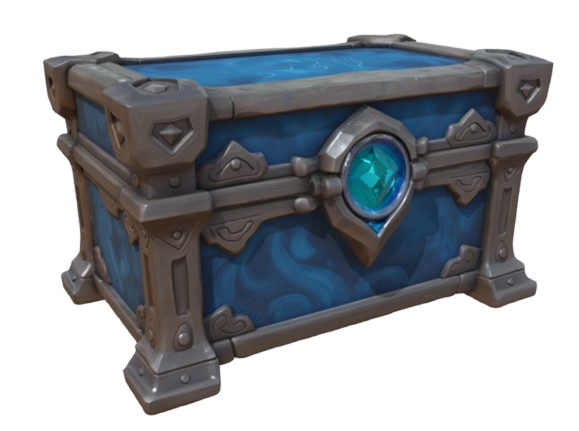
A FiveM resource ZIP is a packaged folder your server loads as a single resource —
containing fxmanifest.lua, stream files (YDR, YTD) and a YTYP archetype.
EasyFiveM generates this ZIP automatically when you export from
Prop Maker — no manual folder assembly required.
EasyFiveM is not just an AI 3D model generator. It delivers a ready-to-use FiveM resource — the complete package server owners actually need, not a lone YDR file.
What is an AI FiveM prop maker?
A FiveM prop maker that exports resource ZIPs saves you from writing manifests, organizing stream folders and creating YTYP entries by hand. EasyFiveM handles all of that on export.
Why general AI 3D tools are not enough for FiveM
Downloading a GLB from Meshy or Tripo is not a FiveM resource. You need YDR, YTYP, correct folder structure and fxmanifest.lua. A proper FiveM resource ZIP export includes everything in one download.
What belongs in a prop resource ZIP
my_custom_prop/
├── fxmanifest.lua
├── my_custom_prop.ytyp
└── stream/
    ├── my_custom_prop.ydr
    └── my_custom_prop.ytd
fxmanifest.lua basics
EasyFiveM writes this for you. A minimal prop manifest:
fx_version 'cerulean'
game 'gta5'
this_is_a_map 'yes'
files { 'my_custom_prop.ytyp' }
data_file 'DLC_ITYP_REQUEST' 'my_custom_prop.ytyp'
How EasyFiveM creates FiveM-ready props
Build in Prop Maker or import from Community. Click Export — EasyFiveM packages YDR, YTD, YTYP and fxmanifest into a ZIP. Credits apply per export; see pricing.
Can EasyFiveM export YDR and YTYP files?
Yes. Both are inside every resource ZIP. The ZIP is the deliverable — not separate downloads you must assemble yourself.
Step-by-step: create and install a resource ZIP
- Build your prop in Prop Maker (or Image to Prop).
- Click Export — download the ZIP.
- Extract to
resources/my_custom_prop/on your server. - Add
ensure my_custom_proptoserver.cfg. - Restart or run
refreshthenensure my_custom_prop. - Spawn the prop with your mapping tool or script.
FiveM resource ZIP vs raw YDR download
Some converters only give a lone YDR. That is incomplete — you still need YTYP, manifest and correct paths. EasyFiveM's ZIP is what server owners actually need.
Troubleshooting
- Resource won't start — check server console for manifest errors
- Prop invisible — YTYP missing or wrong archetype name
- Pink textures — YTD not referenced or wrong shader
- Prop floating — adjust pivot in Prop Maker before re-export
EasyFiveM vs Meshy vs Tripo vs Blender/Sollumz
Blender + Sollumz users assemble resource folders manually. EasyFiveM generates the complete ZIP in one click — faster for standard props. Read what YDR and YTYP files are for format details.
Frequently asked questions
Can I use EasyFiveM to make a ready-to-use FiveM resource?
Yes. Downloads are complete resource folders with fxmanifest.lua and stream files.
Does EasyFiveM export YDR files?
Yes. Included in every resource ZIP export.
Does EasyFiveM export YTYP files?
Yes. Archetype file is generated and referenced in the manifest.
Can I create FiveM props without Blender?
Yes. Export a complete ZIP from EasyFiveM without any desktop 3D software.